

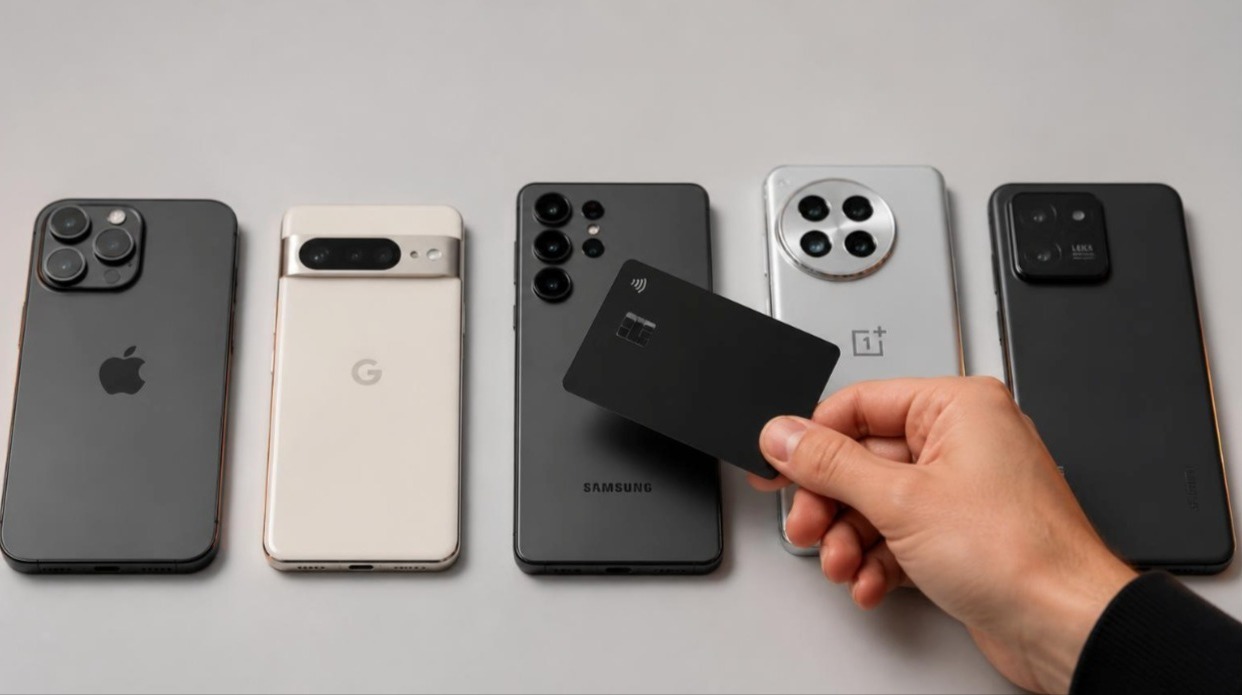
“Does my phone have NFC?” is a question with three different answers, and most articles only give the first one. Yes, the hardware is present. Yes, the hardware is present and the operating system will read a tag without an app. Yes, the hardware is present, the operating system will read a tag, and the platform actually permits the specific thing you are trying to do. Those are three separate tests, and a phone can pass the first and fail the third.
This is a working reference rather than a marketing page. It covers which iPhones and Android phones include NFC, what each one can do with it, where the antenna physically sits, which cases and accessories break the connection, and how to diagnose a tap that does not register. Where a device family is inconsistent, the honest answer is to state it as inconsistent rather than smooth it over, because a wrong entry in a compatibility list is worse than no entry.
Part 1: The three levels of NFC support
NFC on a phone is not a single capability. It is a radio plus a permissions model, and the permissions model has changed more often than the radio. Understanding the three levels prevents almost every compatibility misunderstanding.
| Level | What it means | Typical user experience |
| 1. Hardware present | The phone contains an NFC controller and antenna | Contactless payments work; tag reading may not |
| 2. Tag reading available | The OS or an app can read NDEF data from a passive tag | Tapping a card opens a link, sometimes only inside an app |
| 3. Background reading | The OS reads tags with no app open and no setting toggled | Tap the card, a notification or page appears immediately |
Every modern phone with NFC clears level 1. Nearly all Android phones clear level 3. The interesting history is on iPhone, where the three levels arrived across an eight-year span and the middle years still cause confusion among people using older handsets.
Reading, writing, emulating: the three NFC modes
A second distinction matters for anyone specifying hardware rather than just using it. NFC devices operate in three modes, and phone support differs across them.
| Mode | Description | iPhone | Android |
| Reader/writer | Phone reads or writes a passive tag | iPhone 7 and later (writing from iOS 13) | Standard on all NFC Android phones |
| Card emulation (HCE) | Phone behaves like a contactless card | Apple Pay; third-party HCE opened in the EU from iOS 17.4 | Available to apps since Android 4.4 |
| Peer-to-peer | Two phones exchange data directly | Never supported | Android Beam, removed in Android 10 |
Peer-to-peer is functionally dead. Google removed Android Beam in Android 10 and replaced the file-sharing use case with Nearby Share, which uses Bluetooth and Wi-Fi rather than NFC. Anything that claims phone-to-phone NFC transfer in 2026 is either using a tag as an intermediary or describing something else entirely.
Part 2: iPhone NFC compatibility, model by model
Apple introduced NFC with the iPhone 6 in 2014, but locked it to Apple Pay. Third-party tag reading arrived with Core NFC in iOS 11, restricted to iPhone 7 and later. Background tag reading, where no app is required at all, arrived with the iPhone XS, XR and later. That last threshold is the one that matters for anything handed to a stranger, because it is the only tier where tapping simply works.
| iPhone model | Year | NFC hardware | Reads NFC tags | Background reading (no app) |
| iPhone 6 / 6 Plus | 2014 | Yes | No | No |
| iPhone 6s / 6s Plus | 2015 | Yes | No | No |
| iPhone SE (1st gen) | 2016 | Yes | No | No |
| iPhone 7 / 7 Plus | 2016 | Yes | Yes, via app (iOS 11+) | No |
| iPhone 8 / 8 Plus | 2017 | Yes | Yes, via app | No |
| iPhone X | 2017 | Yes | Yes, via app | No |
| iPhone XR / XS / XS Max | 2018 | Yes | Yes | Yes |
| iPhone 11 / 11 Pro / Pro Max | 2019 | Yes | Yes | Yes |
| iPhone SE (2nd gen) | 2020 | Yes | Yes | Yes |
| iPhone 12 series | 2020 | Yes | Yes | Yes |
| iPhone 13 series | 2021 | Yes | Yes | Yes |
| iPhone SE (3rd gen) | 2022 | Yes | Yes | Yes |
| iPhone 14 series | 2022 | Yes | Yes | Yes |
| iPhone 15 series | 2023 | Yes | Yes | Yes |
| iPhone 16 series | 2024 | Yes | Yes | Yes |
| iPhone 17 series | 2025 | Yes | Yes | Yes |
The practical reading of that table is simple. Anything from the iPhone XR onwards, which is autumn 2018, taps a card and shows a notification without setup. The iPhone 7, 8 and X will read a tag only when an app requests a scan, so they cannot be relied on for spontaneous exchanges. The iPhone 6 and 6s families and the original SE will never read a tag no matter which app is installed, because Core NFC was never enabled on that silicon.
Background reading is not a setting
There is no NFC toggle in iOS settings on a modern iPhone, and there never has been on the supported models. The radio polls when the screen is on and unlocked, and stops when the device is locked, in Airplane Mode, in Low Power Mode under some conditions, or while the camera or Apple Pay interface is active. If someone insists their iPhone has NFC “turned off”, the setting they are remembering does not exist. The real cause is almost always a locked screen or the wrong part of the phone touching the tag.
iPad, Apple Watch and Mac
| Device | NFC hardware | Reads tags | Notes |
| iPad (all models) | No | No | No NFC controller in any iPad to date |
| Apple Watch | Yes | No | NFC is reserved for Apple Pay and transit |
| Mac | No | No | Use a USB NFC reader if required |
The iPad point surprises people every time. There is no NFC in any iPad, which means a tap-to-share card will do nothing against one. If a workflow must cover tablets, the fallback has to be a QR code or a typed short link, and that is a design requirement rather than an afterthought.
Part 3: Android NFC compatibility
Android has supported NFC since the Nexus S in 2010, and tag reading is part of the operating system rather than a per-app privilege. The complication on Android is not the software but the hardware: manufacturers routinely omit the NFC controller from budget models, and the same model number can ship with NFC in one region and without it in another. That regional variance is the single biggest source of wrong information in published compatibility lists.
| Brand | Flagship lines | Mid-range | Budget | Notes |
| Google Pixel | Yes, every model | Yes | Yes, including a-series | Most consistent NFC support of any brand |
| Samsung Galaxy S / Z / Note | Yes, every model | n/a | n/a | Includes all Fold and Flip devices |
| Samsung Galaxy A | n/a | Generally yes from A3x upward | Frequently omitted on A0x and some A1x | Check the individual model and region |
| OnePlus | Yes | Yes | Some Nord budget models omitted it | US Nord N-series variants were the notable gaps |
| Xiaomi / Redmi / POCO | Yes on global flagships | Varies | Often omitted | Strong regional variance; Indian variants historically dropped NFC |
| Motorola | Yes | Usually yes | Often omitted on Moto G and E tiers | Region-dependent, especially in North America |
| Sony Xperia | Yes | Yes | n/a | Antenna usually marked with an N logo |
| Honor / Oppo / vivo / realme | Yes | Varies | Often omitted | Check the regional spec sheet, not the global one |
| Nothing | Yes | Yes | Yes | NFC across the range |
| HMD / Nokia | Yes | Varies | Often omitted | Entry models frequently lack the controller |
Treat that table as a probability guide, not a guarantee. The reliable method for any individual handset is to check the phone itself, which takes about ten seconds and is described below.
How to check any Android phone in ten seconds
- Open Settings and search for “NFC”. If a toggle appears, the hardware exists.
- Alternatively, open Settings, then Connected devices or Connections, then Connection preferences. NFC sits there on most builds.
- Pull down the quick settings shade and look for an NFC tile, which can be added from the tile editor if hidden.
- If none of the above show anything, the phone has no NFC controller. No app can add it.
Ignore any app that promises to “enable NFC” on a phone without the hardware. NFC is a physical radio and an antenna coil; software cannot conjure either. Apps that claim otherwise are, at best, adware.
The Android setting that catches people out
Unlike iPhone, Android exposes an NFC toggle, and it can be switched off. It is enabled by default on most devices, but battery-saving profiles from some manufacturers disable it automatically, and users sometimes turn it off deliberately and forget. Secure Folder profiles, work profiles and kiosk modes can also restrict tag handling. If an Android phone that definitely has NFC refuses to read a tag, the toggle is the first thing to check and it resolves the majority of cases.
Part 4: Where the antenna actually is
An NFC tap fails more often because of geometry than because of compatibility. The read range of a passive tag against a phone is roughly 1 to 4 cm in ideal conditions and frequently less through a case, so the antenna has to be close to the tag, not merely on the same device.
| Phone family | Antenna location | Tap target |
| iPhone (all supported models) | Top edge of the rear, near the camera array | Touch the top third of the back of the phone to the tag |
| Samsung Galaxy S / Note | Upper-centre of the rear panel | Centre of the upper back |
| Samsung Galaxy Z Fold / Flip | Rear panel, upper section when closed | Tap while folded for the most reliable read |
| Google Pixel | Upper-centre rear, around the camera bar | Just below or across the camera bar |
| Sony Xperia | Rear, often marked with a small N logo | Directly on the marked area |
| Most other Android | Upper-centre rear | Start at the upper back, then slide down slowly |
When the location is unknown, the reliable technique is a slow sweep. Hold the tag flat against the back of the phone at the top and move down over two or three seconds. A tap that fails instantly is usually a tap that was held for less than the polling interval, which is why jabbing at a card almost never works while resting it against the phone almost always does.
Part 5: Cases, materials and interference
Cases are the second-largest cause of failed taps after antenna position. The material matters far more than the thickness, but thickness sets the ceiling on what is possible because the field strength falls away sharply with distance.
| Case type | Effect on NFC | Practical guidance |
| Silicone, TPU, polycarbonate | Negligible | No action needed |
| Leather | Negligible | No action needed |
| Thick rugged / armour cases (5 mm+) | Noticeable range loss | Tap with firm contact, or remove for first pairing |
| Metal or metal-plated cases | Often blocks entirely | Remove the case, or choose one with an NFC cut-out |
| Cases with metal kickstands or rings | Blocks locally | Move the tap point away from the metal component |
| Wallet cases holding contactless bank cards | Collision, not blocking | Remove the bank card before tapping |
| Magnetic mounts and MagSafe accessories | Usually fine, occasionally disruptive | Test; move the tag slightly off-centre if it fails |
The wallet case scenario deserves emphasis because it produces the most confusing symptom. When two contactless targets sit in the same field, the reader cannot resolve which one to talk to, so nothing happens at all. Users interpret a collision as a broken card, when in reality both items are working correctly and are simply cancelling each other out. The same applies in reverse at a payment terminal, where a card and a phone presented together will often produce a rejected transaction.
Wireless charging and the same-coil myth
Qi wireless charging and NFC use different frequencies and separate coils, so a phone that supports both does not have to choose between them. What does interfere is charging while tapping, because the charging field is far stronger than the NFC field and will swamp it. Lift the phone off the charger before tapping a tag. Charging cases with their own metal shielding are a more persistent problem and often need to come off.
Part 6: What compatibility means for shared contact details
For anyone deploying tap-to-share cards across a team, compatibility is not an abstract specification. It determines whether an exchange succeeds in front of a client, and the arithmetic is worth doing explicitly.
| Recipient device | Approximate share of handsets in use | Tap outcome |
| iPhone XR or newer | Very large majority of iPhones still active | Tap works with no app and no setup |
| iPhone 7, 8 or X | Small and shrinking | Needs an app to initiate a scan; use QR instead |
| iPhone 6s or older | Marginal | No tag reading; QR or link only |
| Android with NFC | Overwhelming majority of mid-range and above | Tap works if the toggle is on |
| Android without NFC | Concentrated in budget tiers and some regions | QR or link only |
| Tablets of any kind | Small in professional settings | QR or link only |
The correct conclusion is not that NFC is unreliable. It is that a tap needs a fallback, and the fallback needs to be on the same object. A card that carries both a chip and a printed code covers effectively every device someone might be holding, which is why serious NFC business cards include a code on the reverse rather than treating it as an optional extra. Well-made NFC cards are designed around that dual route from the start.
What actually happens when the tap lands
A tap does not install anything. The tag holds a short URL, the phone reads it, and the browser opens a page. Everything the recipient sees is a normal web page, which is why compatibility on the receiving side reduces to “does this phone have a browser” once the read has succeeded. It also means the information can be updated after the card has been handed out, because the card stores a pointer rather than the data itself.
That distinction is the whole argument for the format. A printed card freezes a job title at the moment of printing. A card that resolves to a hosted profile, like the ones behind Evrycard, keeps working after a role change, an office move or a new phone number, because only the destination changes.
Part 7: Troubleshooting a failed tap
| Symptom | Most likely cause | Fix |
| Nothing happens at all | Wrong part of the phone | Sweep the tag slowly down the back from the top |
| Nothing happens on Android only | NFC toggle disabled | Settings, search NFC, enable |
| Nothing happens on iPhone only | Screen locked or camera open | Unlock the phone, close the camera, tap again |
| Works without a case, fails with one | Metal or excessive thickness | Remove the case or switch to a non-metal one |
| Notification appears then disappears | Tag moved away too quickly | Hold contact for a full second before lifting |
| Works for one person, not another | Different handset tier | Use the printed code as the fallback |
| Intermittent across the same tag | Marginal antenna alignment | Mark the sweet spot and tap consistently |
| Payment terminal rejects the phone | Two contactless items in the field | Separate the phone from any bank cards |
One further scenario is worth naming because it looks like a hardware fault and is not. Some corporate device-management profiles disable NFC or restrict which apps may handle tag intents. On a managed work phone, a tap can fail on an otherwise perfect device, and no amount of positioning will change it. That is a policy setting, and only the IT owner can lift it.
Part 8: A short buying checklist
- Confirm NFC on the exact model and regional variant, not the product family.
- Prefer devices from the iPhone XR generation onward if tap-to-share matters.
- On Android, check the NFC toggle exists in Settings before assuming support.
- Avoid metal cases if the phone will be tapped regularly.
- For teams, plan for a QR fallback rather than assuming universal NFC coverage.
- Test with the actual cases the team uses, not with bare handsets.
Frequently asked questions
Does my phone have NFC?
On Android, search for “NFC” in Settings; if a toggle appears the hardware is present. On iPhone, every model from the iPhone 6 onwards has NFC hardware, but only the iPhone 7 and later can read tags, and only the iPhone XR, XS and later read them in the background without an app.
Which iPhones can scan NFC tags without an app?
iPhone XR, XS, XS Max and every model released after them, which covers the 11, 12, 13, 14, 15, 16 and 17 series plus the second and third generation SE. Those devices read a tag whenever the screen is on and unlocked.
Can an iPhone 7 read an NFC business card?
Only through an app that explicitly starts a scan. There is no background reading on the iPhone 7, 8 or X, so a spontaneous tap will not work. Use the printed QR code on the card instead.
Do iPads have NFC?
No. No iPad model includes an NFC controller, so tapping a card against one does nothing. A QR code or a typed link is the only route on iPad.
Why is NFC not working on my Android phone?
In order of likelihood: the NFC toggle is off, the tag is being held against the wrong part of the back, a metal case is blocking the field, the tap is too brief, or a work profile has restricted tag handling. Checking the toggle resolves most cases.
Do all Samsung phones have NFC?
All Galaxy S, Note, Z Fold and Z Flip devices do. The Galaxy A range is inconsistent: mid-tier models generally include NFC while the lowest tiers often omit it, and availability can differ between regional variants of the same model number.
Does a phone case block NFC?
Plastic, silicone, TPU and leather cases have almost no effect. Metal cases, metal plates for magnetic mounts, and very thick armour cases can block or weaken the field enough to stop a read. Bank cards inside a wallet case cause collisions rather than blocking.
Does NFC drain the battery?
Not meaningfully. The controller polls at very low power and draws current only during an actual exchange. Leaving NFC enabled has a negligible effect compared with the screen or mobile radio, which is why Android ships with it on by default.
Can two phones share data over NFC?
Not in any practical sense today. Apple never supported phone-to-phone NFC transfer, and Google removed Android Beam in Android 10. Modern sharing between phones uses Bluetooth and Wi-Fi under names like Nearby Share and AirDrop.
Is NFC secure enough for contact details?
The read range of a passive tag is a few centimetres, so interception requires physical proximity that is hard to achieve unnoticed. A contact profile is public information by design, so the security question is really about whether the destination link can be tampered with, which is why locked tags and HTTPS destinations matter more than the radio itself.
Compatibility questions get easier every year, because the devices that cannot read a tag are steadily leaving circulation. The remaining discipline is unglamorous: know where the antenna sits, keep metal out of the way, check the toggle on Android, and always ship a fallback for the phones and tablets that will never tap at all.